admin
admin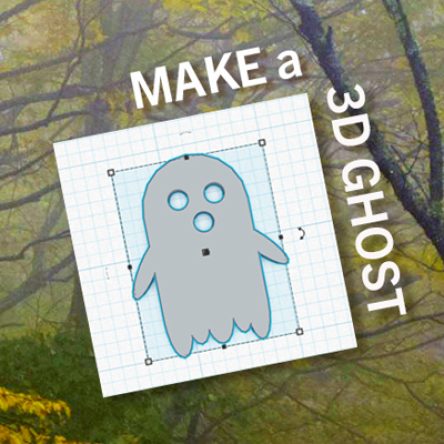

By FPL_LibbyM
In celebration of Halloween, here’s a beginner Tinkercad tutorial for an adorable 3D printed ghost!
Tinkercad, opens a new window is a free 3D design website. It makes 3D design fun and easy. Once you’ve made your Tinkercad account and opened a new project page, follow along with these simple steps.
- Drag and drop 1 cylinder and 1 box from the shape menu on the right-hand side. Arrange the shapes so that the cylinder is halfway in the box.

-
Use ctrl+a to select both shapes. Then use the group tool to combine them. This should create an arch shape. You can also change the color to whatever you want by clicking on the circle labeled solid.

- Click and drag the white dot on the center of the arch to lower the height to .1 inch or 2 millimeters.

- Let’s add some eyes and a mouth to our ghost! Click and drag a greyed-out cylinder from the shape menu. The greyed-out shapes are holes. Instead of adding space when grouped to other shapes, they take away space. Change the length and width of the holes to be around .2 inches or 5 mm. Copy and paste the hole 2 times.

- Use the mouse or arrow keys to arrange the holes to be the eyes and mouth of your ghost. Use ctrl+a to select all of the shapes, then use the group tool to combine them.

- Out ghost is already looking pretty cute, but let’s add some more details! Drag and drop another cylinder and lower the height to match your ghost. Use the white dot in the bottom right corner to make the cylinder into an oval. Make the oval as tall or short as you like.

- Align the oval so that it sits at the bottom left of your ghost. Then copy and paste the oval 5-6 times and move them along the bottom of your ghost. Try changing the height and length of each oval to make it look less uniform. Once you have your ovals aligned, ctrl+a to select all and use the group tool to combine.

- Let’s add arms to our ghost! Repeat step 6 to make another oval shaped cylinder. Use the curved arrow to change the angle of the cylinder.

- Copy and paste that shape and use the mirror tool to reverse the angle.

- Arrange your arms so that they are connected to either side of your ghost. Use ctrl+a and the group tool to combine them.

If you are interested in 3D printing your design at the Library, check out Frisco Public Library’s website for more information about the 3D printers, opens a new window. Remember, only adults can make Makerspace reservations or handle Makerspace equipment. However, kiddos are welcome in the Makerspace with adult supervision.

 Steven Doyle